
What happens after I purchase a course?
Your course appears under Library once you log in with the same email you used at checkout. Here's how to get there.
Apr 13, 2024
2 min read
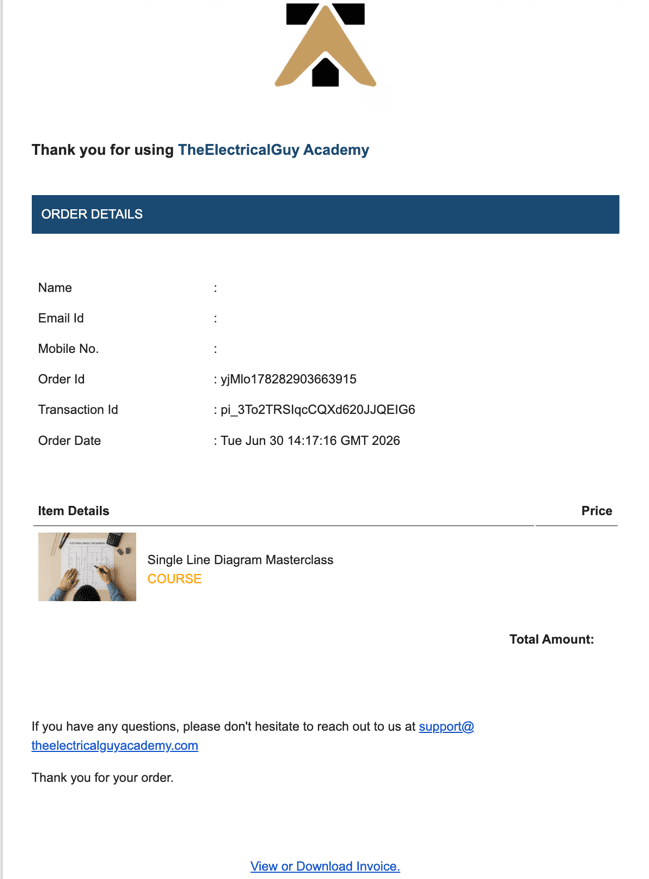
Right after a successful purchase, you'll get a confirmation email from TEGA with your invoice. In most cases it arrives instantly; occasionally it can take a few minutes.
In the confirmation email you can:
· Click View or Download Invoice to view or save your invoice for your records.
Your next step: Log in to access the course under the Library tab. (See: How do I access my course after purchase?)
Haven't received the email?
1. Wait a few minutes, then refresh your inbox.
2. Check your spam or promotions folder.
3. Confirm you're checking the same email you used at checkout.
IN THIS ARTICLE