
How do I enroll in a course?
Step-by-step guide to enrolling in a TheElectricalGuy Academy course via web, Android, or iOS, from login to payment to accessing your course.
Apr 13, 2024
How do I enroll in a course?
To enroll, log in or create an account, select your course and plan, complete payment, then open your course from your Library. Full steps below.
Enroll via our website
Step 1: Log in or create an account
Log in with the same email you want to use for your course. New here? Create an account first. [See: How do I log in or create an account?]
Important: Log in first, then make your purchase. This gives you the smoothest experience and makes sure the course is added to the right account.
Step 2: Select your course and click Enroll Now
Choose the course you want, go to the pricing section, and click Enroll Now.
Step 3: Review your billing details and add GST (optional)
Check your order and billing details. If everything looks correct, click Next.
If you have a GST number (for businesses in India only), you can add your business details here. This is printed on your invoice, which you can use to claim tax returns.
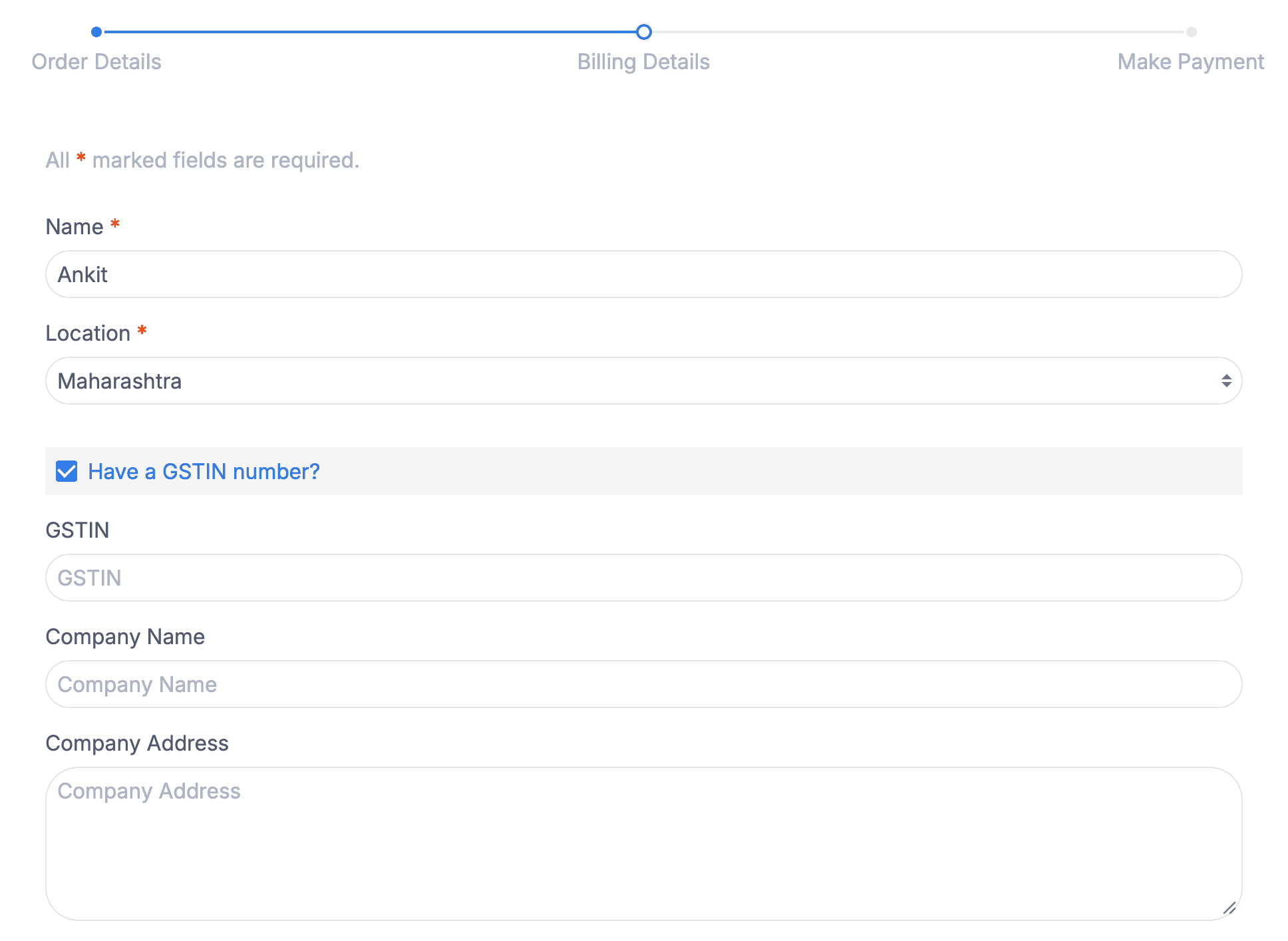
Can't see this screen? You're most likely not logged in. Log in and try again.
Step 4: Select your payment method
For students in India, the following options are available:
Debit card
Credit card
UPI
Net banking
Wallets
For international transactions (outside India), the credit card option is available.
Note: Make sure international transactions are turned on for your card.
Once your payment is successful, you'll get a confirmation email and can access all the course content immediately.
Step 5: Access your course
Click Library in the top right corner to open your course and start learning right away.
Enroll via the Android app
Log in or sign up on the Android app. Download the app
Select the course you want and tap Buy Now.
Check your billing details. You can optionally add your GST details here.
Once your details are correct, complete the payment.
After a successful payment, the course is added to your Library immediately.
You'll also get a confirmation email with your invoice right away.
Enroll via the iOS app
Purchasing a course inside the iOS app is not available. You'll need to buy the course on our website first, then continue learning on the app.
Enroll in the course on our website using the steps above.
Log in to the iOS app with the same email you used to enroll. Your course will already be in your Library.
IN THIS ARTICLE